Why it exists
Most to-do apps punish you for using them properly.
Write something down and it stops being a thought. Now it's a small debt with your name on it, sitting in a list you'll open fifty more times.
That's fine while you're finishing things. When you're not, the list quietly changes job. It stops counting tasks and starts counting you. Five done, forty-seven remaining. The app you got to feel on top of things turns into one more thing you'd rather not open, and it's holding everything you own.
The problem isn’t that you procrastinate. It’s when putting things off quietly turns into consequences.
So the software should carry the pile. You ought to be able to put a hundred things in and feel lighter afterwards.
The offer
Choosing is the work you do instead of starting.
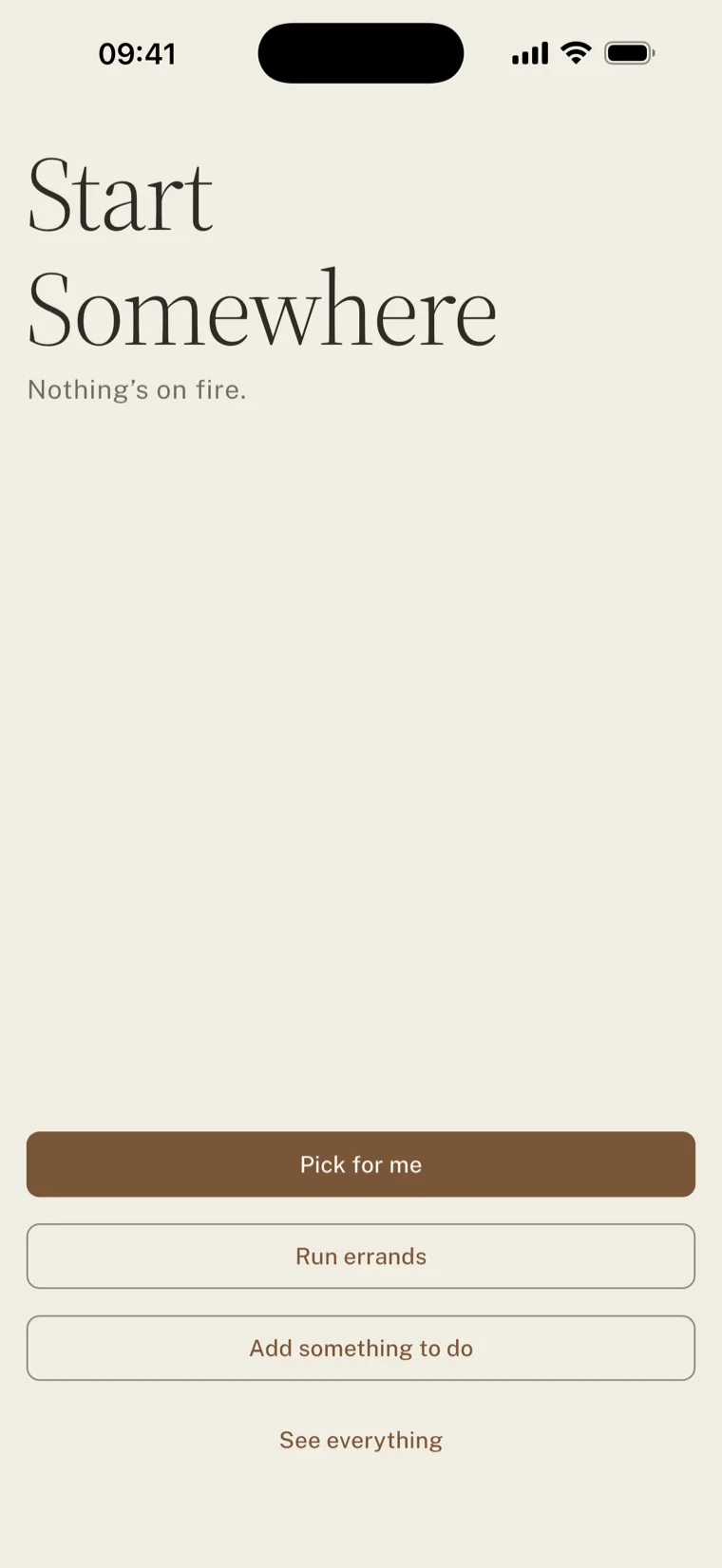
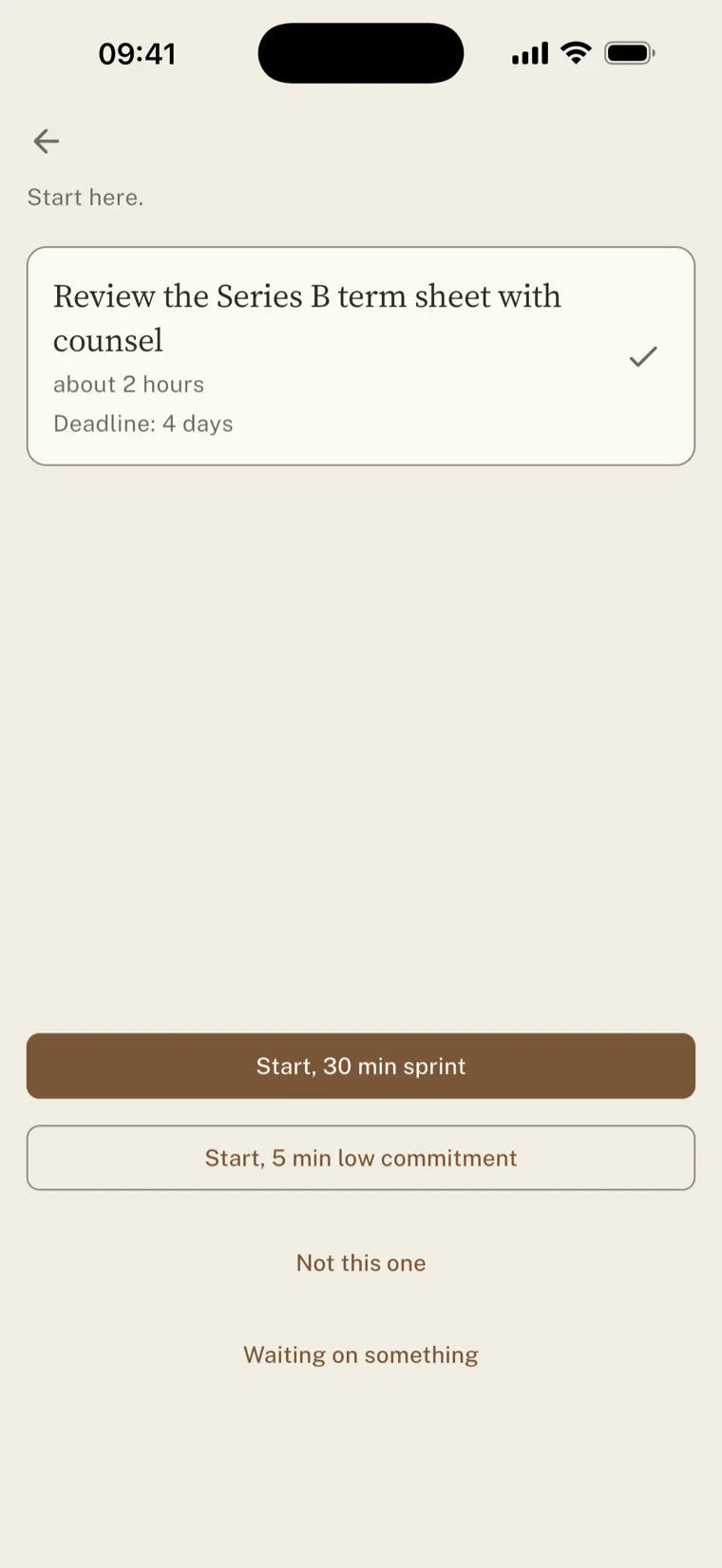
A list asks you to decide. Picking between fourteen things you don't want to do is work in itself, and it's usually the work that happens instead of starting. So the app picks, and shows you what it picked. One task, three answers, all the same size.
Nothing on that screen can tell you you're behind. A screen that can is a screen you stop opening.
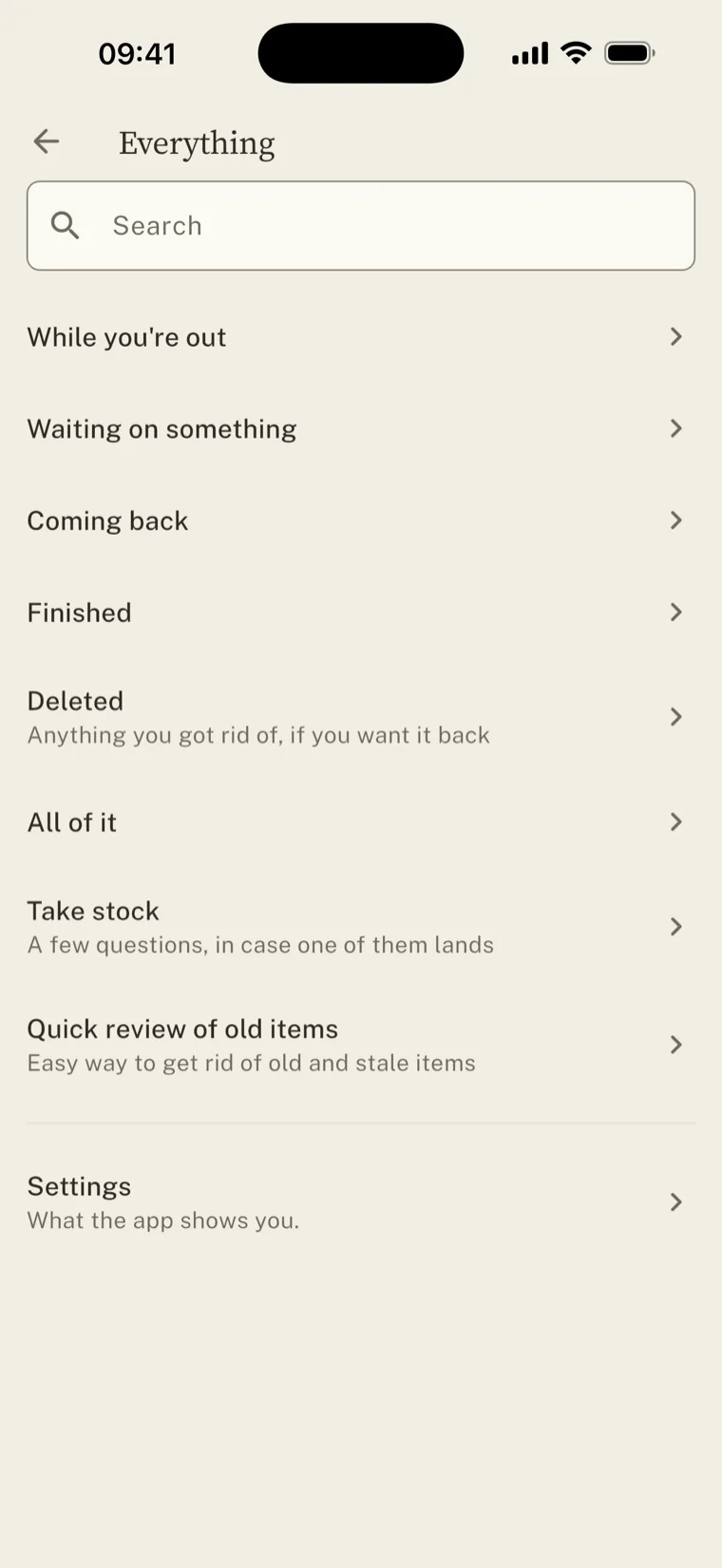
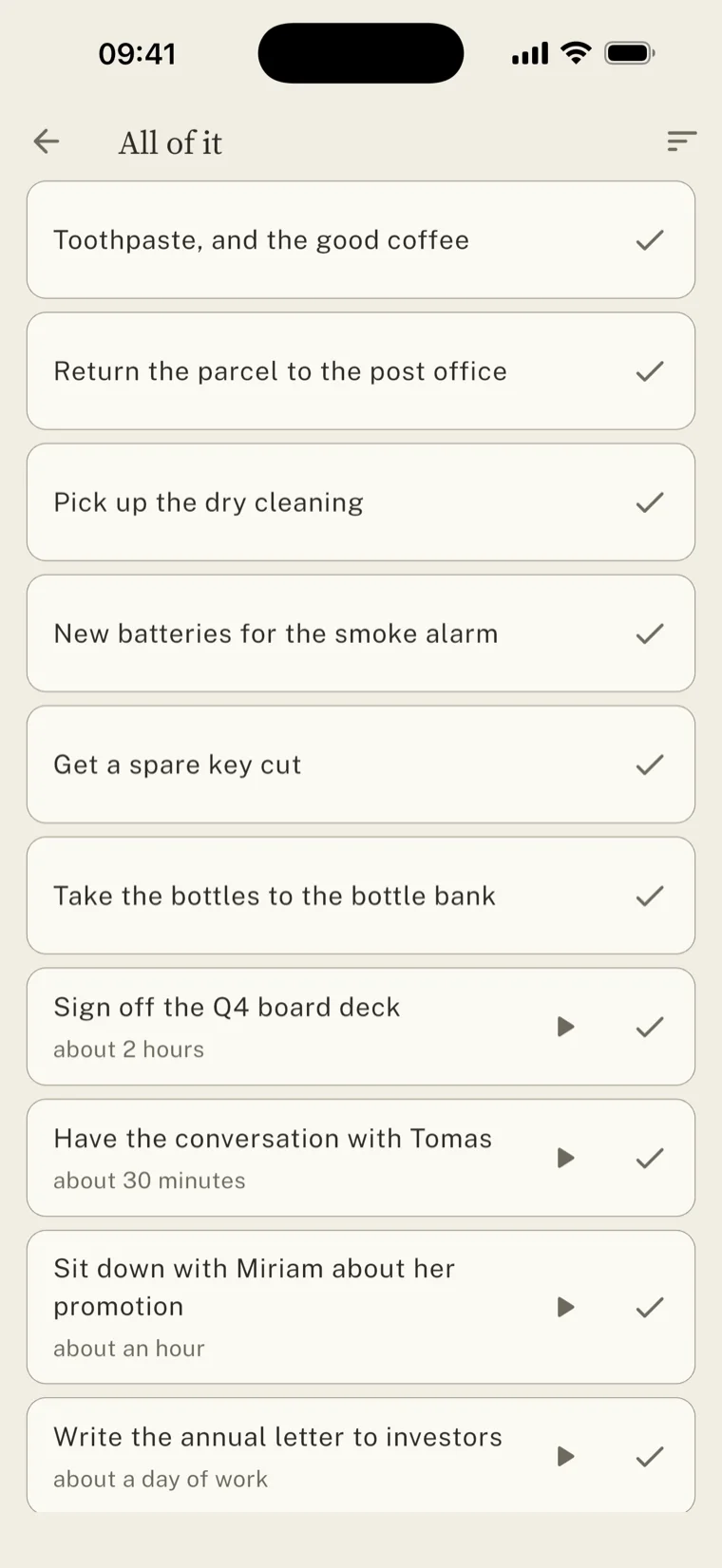
Hiding the backlog only works if you trust it's still there. It is, one door away, searchable, sorted into piles. None of them carries a count. The number is what does the damage, not the list.
Starting
Starting is the whole problem.
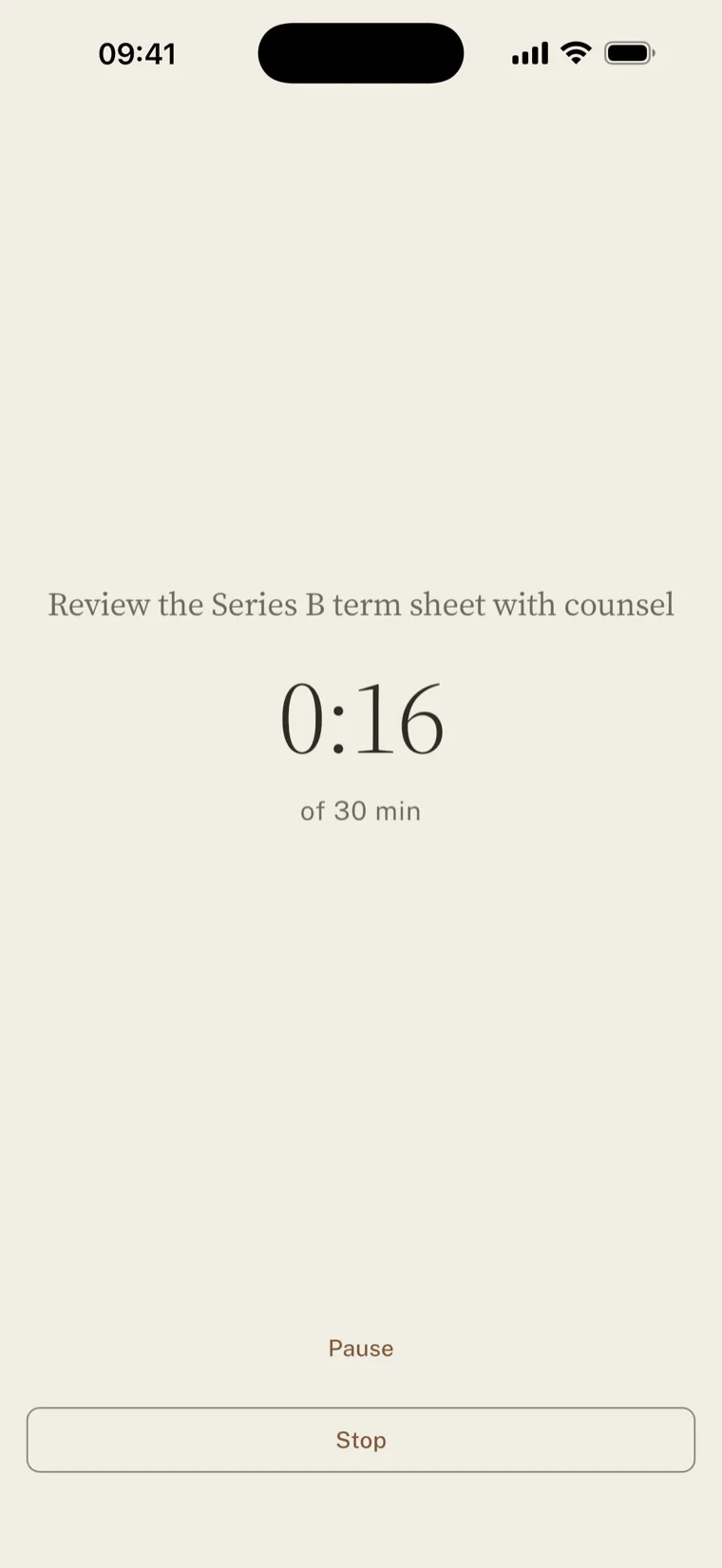
You know what the task is. You know roughly how long it takes. What stops you is the minute before you begin, so that's the minute the app spends everything on. Any task can be opened for five minutes.
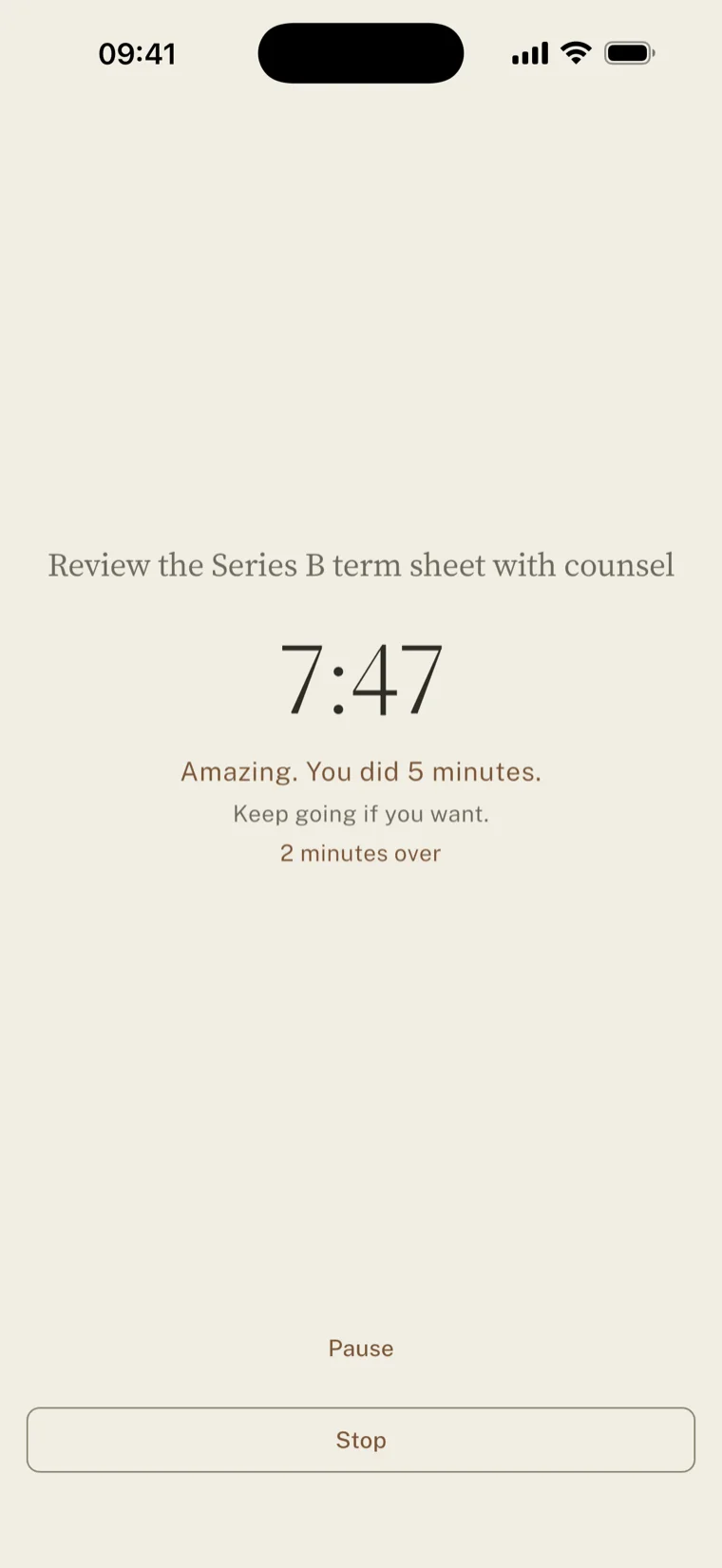
Five is small enough that turning it down feels sillier than doing it. It only works if the app keeps its word, so when the five minutes are up, nothing happens. No alarm. No chime. The clock notes that you did what you said, then carries on counting for as long as you like.
Amazing. You did 5 minutes.
Keep going if you want.
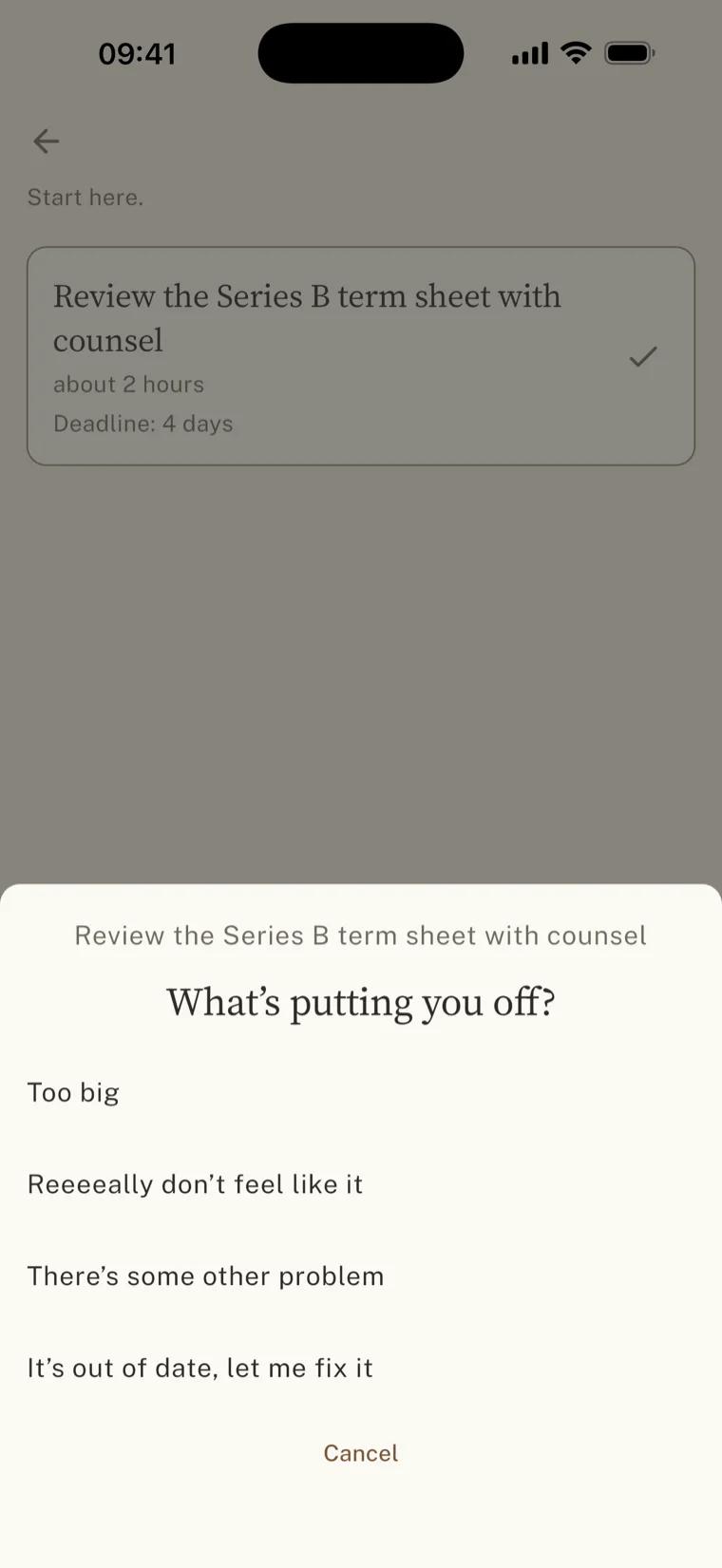
Saying no has to be free as well. Turn something down and you get one question, four taps, no typing. One of the answers is simply that you don't want to, with nothing else attached, and it's the easiest one to press. Make honesty expensive and the other answers fill up with lies. Nothing gets counted either. A tally of refusals is shame accounting, even when nobody sees it.
What it asks
What you’re avoiding isn’t what doesn’t matter.
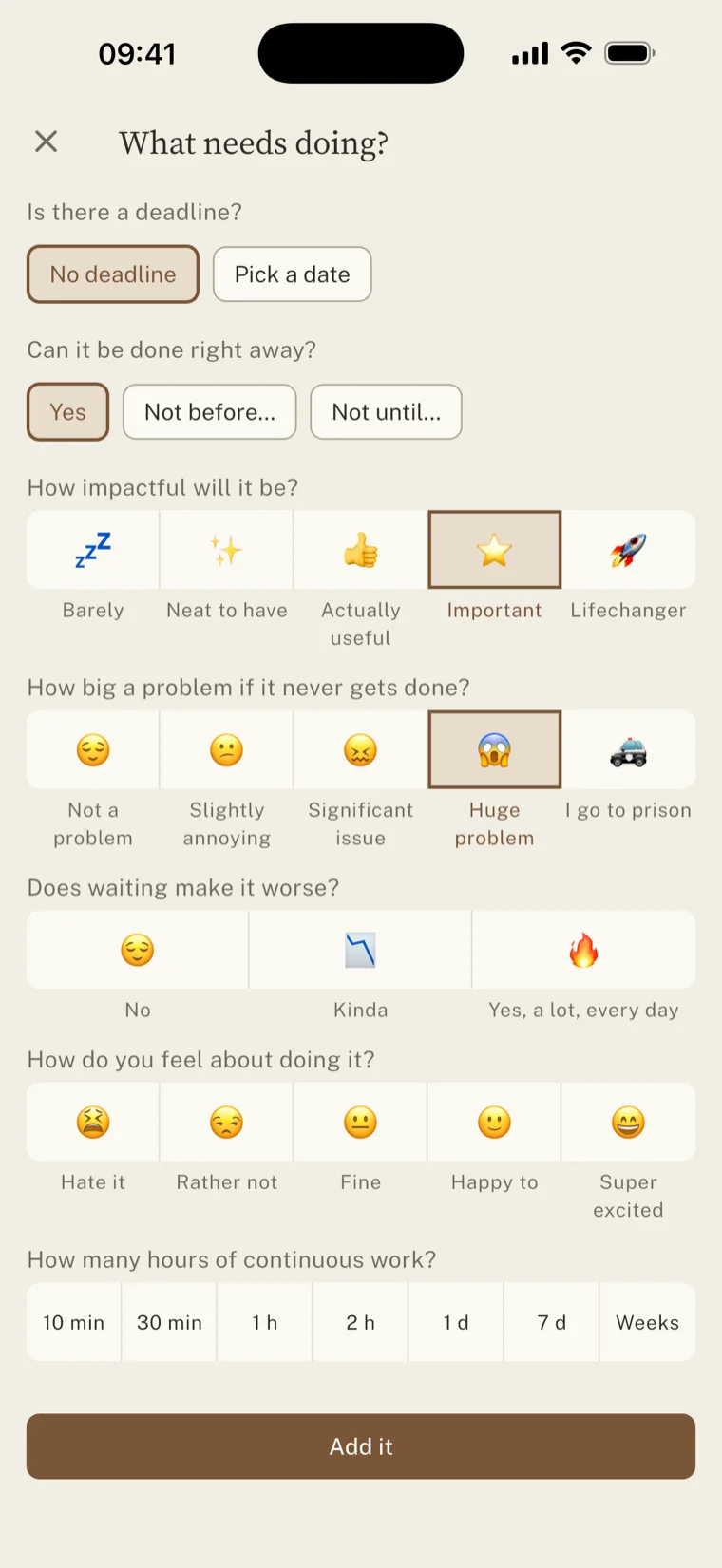
The oldest flaw in a to-do list is one field called priority. It can't hold the thing that actually predicts avoidance. How much you dread a task and how much it matters are two different numbers, and the trouble lives in the gap between them.
A tax return sits at the bottom of one scale and the top of the other. So the app asks about them separately. Every question is optional, since a half-written task still beats one you never wrote down.
It has one opinion of its own. A deadline isn't a reason. It's when a reason expires. So a date earns its weight from what actually happens if you miss it. Otherwise anything with a date beats everything without one, and that is how the important things end up waiting.
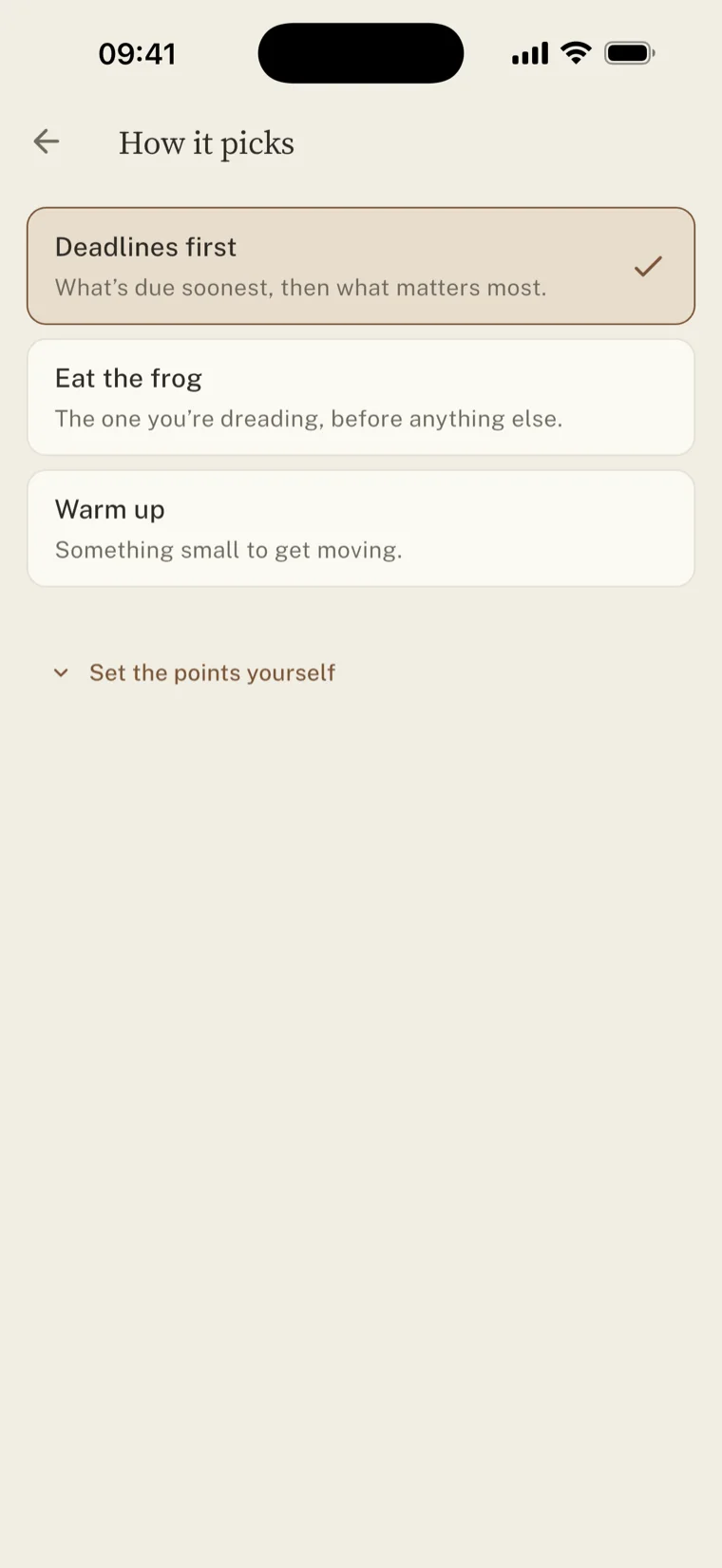
Reading it down
Deleting things is also getting things done.
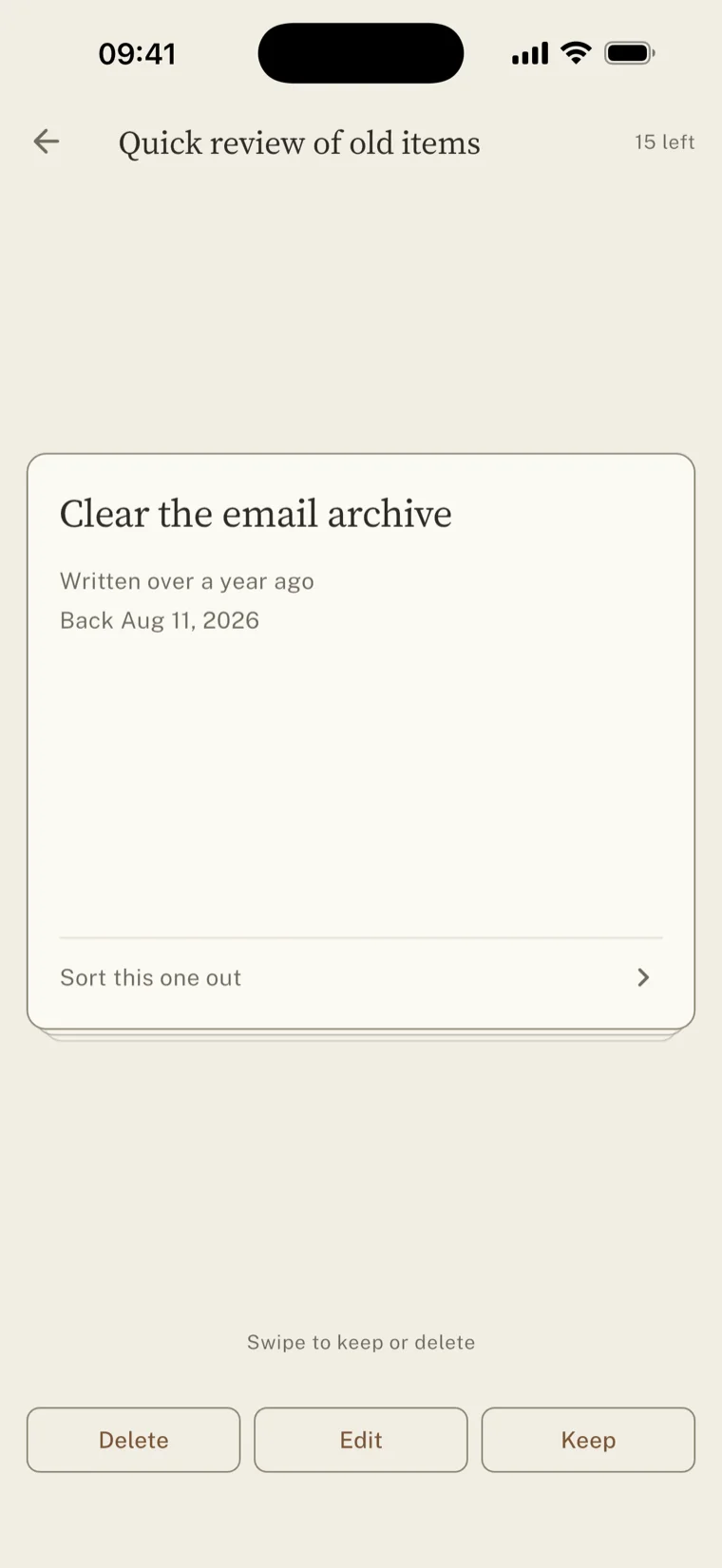
Some of what you're avoiding, you're never going to do. It costs you a small decision every time it surfaces, and then it gets put off again. People won't throw those away while deleting feels like an admission.
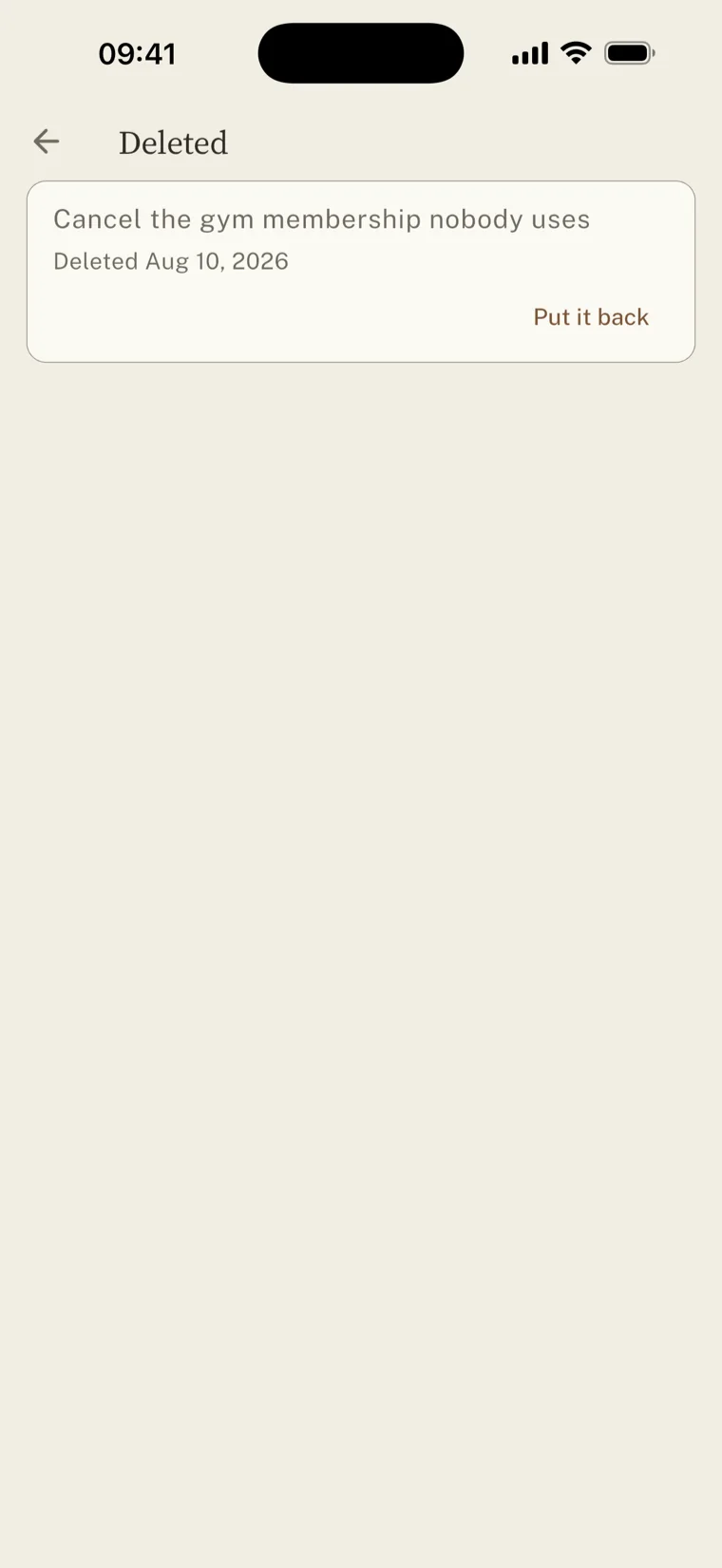
So old tasks come back one at a time, oldest first. Delete, edit, keep. Nothing counts how long they sat there, and nothing is final: what you throw out goes to a room whose only button says put it back. There is no delete forever. A bin you can empty is just a second backlog.
Take stock
Nothing chases the things that matter most.
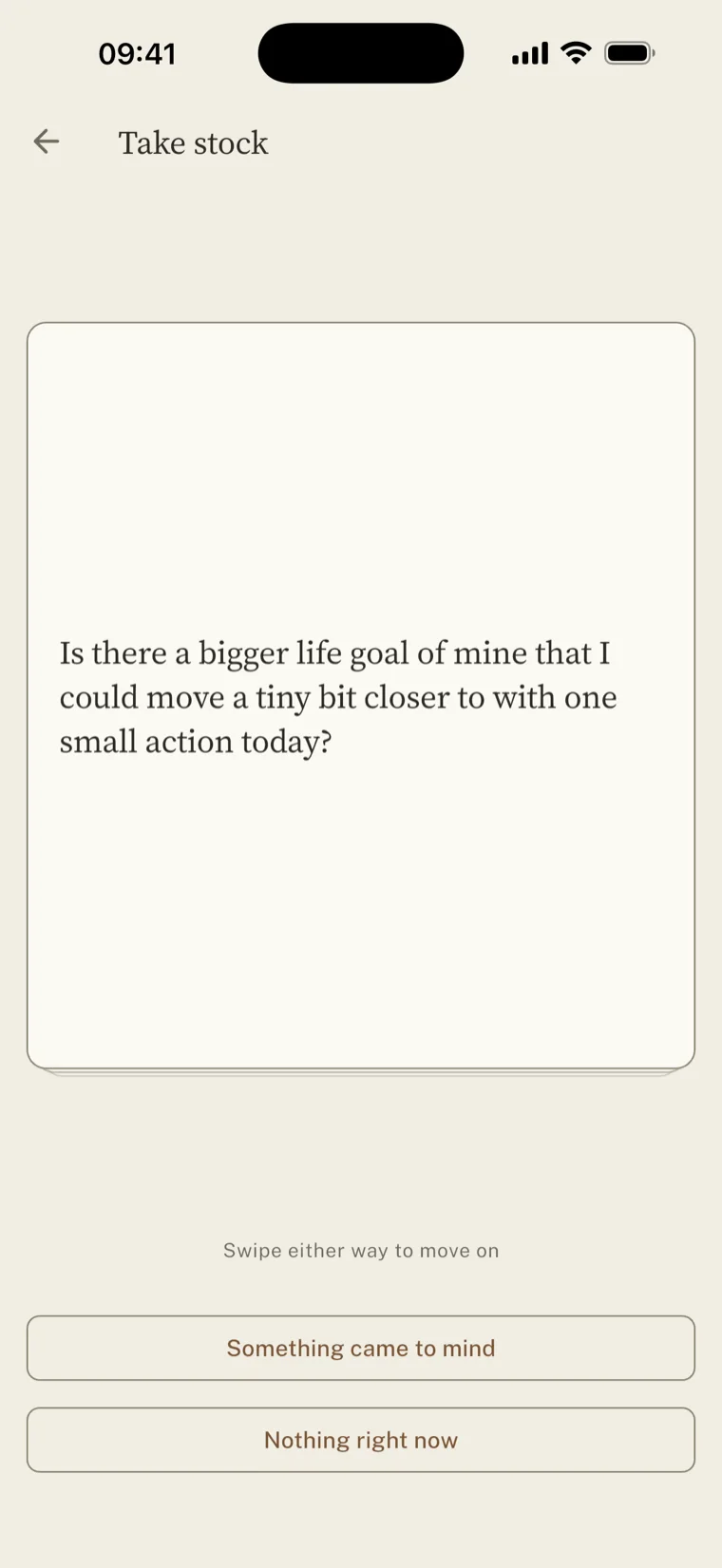
An app can only rank what you typed into it. Whatever never gets typed never competes, and that is usually the stuff with no deadline and nobody asking. The health thing. The conversation you keep not having. The person you meant to call.
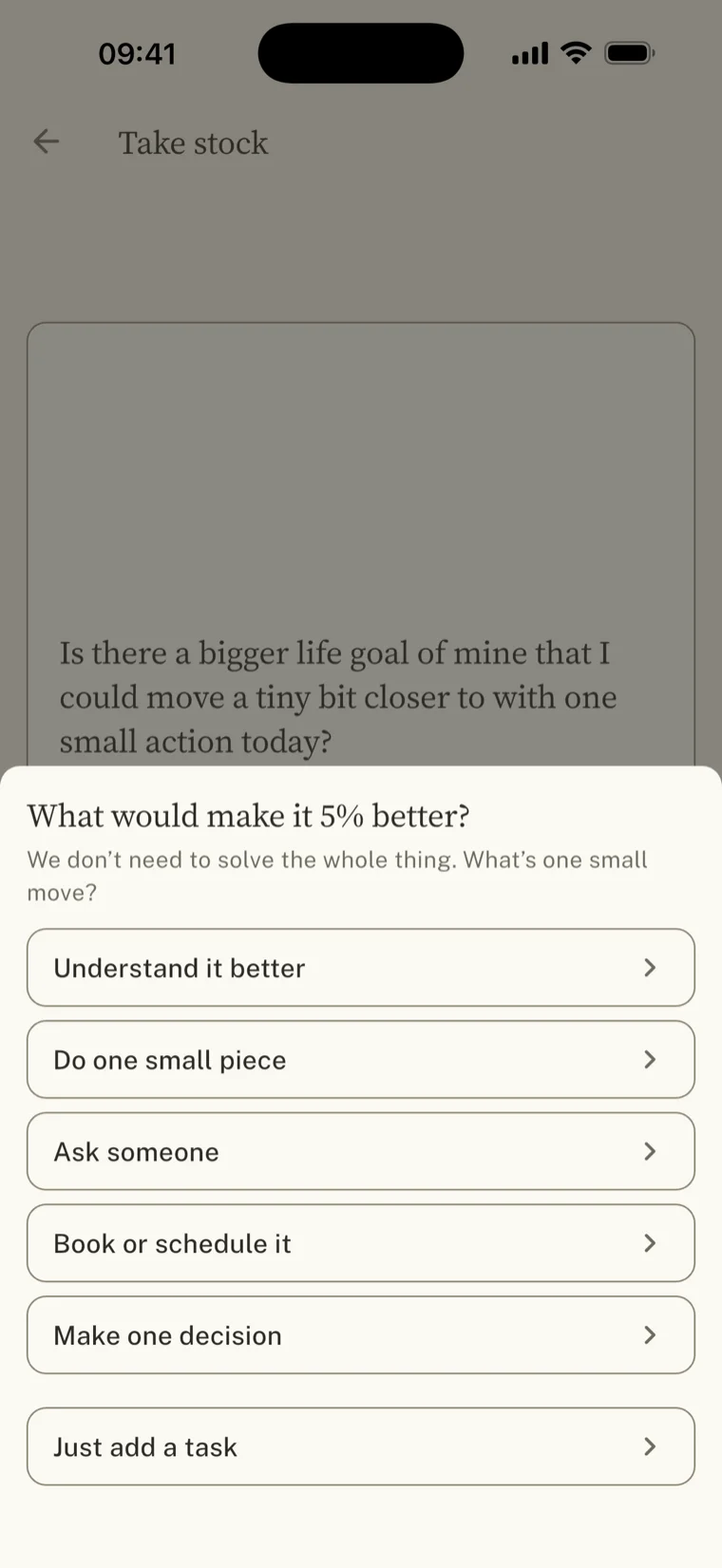
So one part of the app asks questions instead of organising answers. Thirty of them, written in your own voice, one a day in the same order: any doctor, dentist, eye check, prescription, or health appointment I’ve been meaning to sort out? Most won’t land. That is expected.
When one does land, it doesn't ask you to solve it. It asks what would make it 5% better. Whatever a question like that turns up is always too big to be a task, and the problem itself is the last thing that should end up on your list.
The other half of the design
Things this app will never do.
None of these are missing features. Each one is a decision, written down with its reasoning, and a few of them fail the build if anyone breaks them.
-
No streaks. One bad day should not cost you forty good ones.
-
No badge, no backlog count. The aggregate number is what does the damage.
-
No red for lateness. A missed date is information, not a verdict.
-
No notifications. Nothing is scheduled. It cannot interrupt you.
-
No points, levels or XP. Rewards should be things you actually enjoy.
-
No rising expectations. A good week does not raise the bar.
-
No progress meters. A ring filling up is a count in costume.
-
No accounts. Nothing to sign up for, nothing to leak.
-
No ads, ever. No analytics, no trackers, no advertising ID.
-
No AI writing your tasks. A thought must not quietly become an obligation.
-
No subtasks or projects. A smaller piece becomes its own task.
-
No tags or labels. Organising is the best-respected way to avoid working.
Privacy
It has nowhere to send your data.
This isn't a promise about what we would do with your information. It is a description of what the app is able to do. There is no account, no server, no sync, and no third-party code in it at all.
Partly that's a privacy position. Partly it's the same idea as everything else here. Anything that reports on you is something you start performing for.
Nothing is collected
No email, no name, no device identifier, no usage events. It never asks who you are.
The honest trade
No server means no sync. Two devices, two separate lists. Worth knowing before you start.
What it costs
A month free, then $2.99 a month or $24.99 a year. Billed through the App Store. Apple emails you before the first charge. Cancel any time, in two taps.
The free month runs through the App Store, so it asks for a payment method up front and Apple warns you before it turns into a bill. That is the whole reason it works that way: this app has no account and no email address for you, so it has no way of telling you your month is nearly up. Apple does.
One price for the whole app, whichever length you pick. No free tier that nags, nothing held back, and no lifetime deal. An app with no server still has someone maintaining it, and a one-off payment is a promise that quietly gets broken.
If it lapses, the app stops, but your tasks stay yours and getting them out will never cost anything. And if it can't tell whether you've paid, it assumes you have. An app that never argues shouldn't start one about that.
Questions
The things people ask.
What is Start Somewhere?
Start Somewhere is an iPhone task manager for procrastinators. Rather than showing a list, it hands you one task at a time and keeps the rest of your backlog out of sight until you go looking for it.
Does Start Somewhere help you stop procrastinating?
It doesn't try to stop you. It tries to make procrastinating cost less. The backlog stays hidden, any task can be started for five minutes, and saying no is free and never counted.
Is Start Somewhere a distraction blocker?
No. It blocks nothing. There is no website filter, no screen-time limit and no focus mode. Most procrastination apps work on distraction. This one works on the task you are avoiding.
Is Start Somewhere available yet?
Yes. Start Somewhere is out on the App Store for iPhone. The first month is free, then it is $2.99 a month or $24.99 a year. The free month runs through the App Store, so it asks for a payment method and Apple emails you before the first charge.
Who is Start Somewhere for?
People who avoid their own to-do list because opening it feels bad. It suits anyone who writes down far more than they finish, and who would rather the software held the pile than displayed it.
Who is Start Somewhere not for?
Anyone who wants project management, collaboration, shared lists, tags, sub-tasks or a productivity dashboard. None of those are in it on purpose, and if you enjoy arranging a system you will find it very bare.
How is Start Somewhere different from a conventional to-do app?
Conventional to-do apps show you everything and help you organise it. Start Somewhere shows you one thing and hides the rest. There is no count of what's outstanding, no badge, no streaks and no daily goal.
Does Start Somewhere work offline?
Yes, completely. There is no server and the app makes no network requests of its own. Everything lives in a SQLite file on the phone. The only traffic is the App Store purchase.
Does Start Somewhere need an account?
No. There is no sign-up, no login and no user record of any kind. Subscription status comes from the Apple ID already signed in on the device.
Does Start Somewhere sync between devices?
No. Everything is stored on the device and there is no backend, so two devices mean two separate lists. That is a real limitation, and it follows directly from having no server.
What data does Start Somewhere collect?
None. No analytics, no crash reporting, no advertising identifier and no third-party code at all. Your tasks never leave the device except through a backup you control.
What does Start Somewhere cost?
The first month is free, then $2.99 a month or $24.99 a year through the App Store. One price covers everything either way. There is no free tier, no upsell, and nothing held back to make a paid version look better.
What platforms does Start Somewhere run on?
iPhone. There is no Android version and no web version. Since the app has no accounts, a purchase on one platform could not follow you to another anyway.
Is Start Somewhere an ADHD app?
No. It was not built as a clinical tool and makes no medical claims. It was built around procrastination. What it leaves out, like streaks, counts and overdue warnings, is what people most often say makes a task manager hard to keep using.
Is Start Somewhere a Pomodoro timer?
Not really. The number you commit to is a floor rather than a ceiling. When you reach it nothing happens and the clock keeps going. Pomodoro is built around stopping. This is built around starting.
Does Start Somewhere send notifications or reminders?
No. It schedules nothing and asks for no notification permission. The only way it will show you a deadline is a switch you turn on yourself.